CI/CD와 Jenkins
CI(지속적 통합, Continuous Integration)
개발자들이 작성한 코드를 지속적으로 중앙 저장소에 통합하고, 통합될 때마다 자동으로 빌드와 테스트를 수행해 문제를 빠르게 발견하는 개발 프로세스
CD(지속적 배포, Continuous Deployment/Delivery)
CI 이후의 배포 과정 전체를 자동화하는 프로세스
Jenkins
오픈소스 기반의 CI/CD 자동화 도구로, 소프트웨어 개발 과정에서 빌드, 테스트, 배포를 자동화해주는 서버 애플리케이션
→ Java로 작성되어 있고, 플러그인 생태계가 매우 풍부해 거의 모든 개발 및 배포 환경과 연동 가능하다.

https://huffpuffkin.tistory.com/85
EC2 서버에 젠킨스 도커 컨테이너 띄우기
먼저 도커를 설치해보자. 다음 명령어를 차례로 실행하면 도커가 설치가 완료된다. # 1. 패키지 목록 업데이트sudo apt update -y# 2. 필수 패키지 설치 (HTTPS를 통한 리포지토리 사용)sudo apt install -y apt-
huffpuffkin.tistory.com
ec2 서버에 젠킨스 도커 컨테이너를 띄우는 방법은 위에 적어놓았다.
Github와 Jenkins 연동하기
📍Github에서 토큰 발급
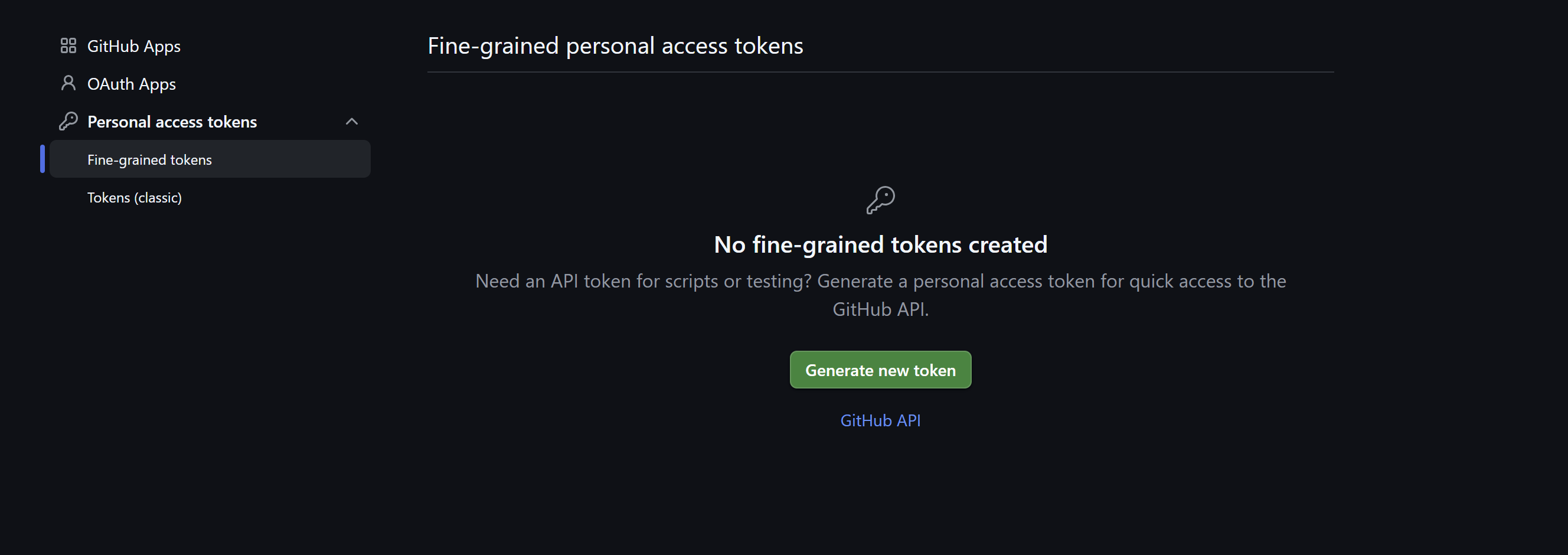
settings>Developer Settings/Personal access tokens > Fine-grained tokens 경로에 들어가서 새 토큰을 발급받아준다.

나는 기한 없음, public repositories에서는 모두 접근 가능하도록 해주었다.
📍다시 http://ec2퍼블릭ip:9090 으로 돌아와 Jenkins Plugin을 설치
- Generic Webhook Trigger Plugin
- Github Integration Plugin
- Github API Plugin
jenkins 관리 -> plugins
📍Jenkins Credential 생성
jenkins 관리 > Credentials

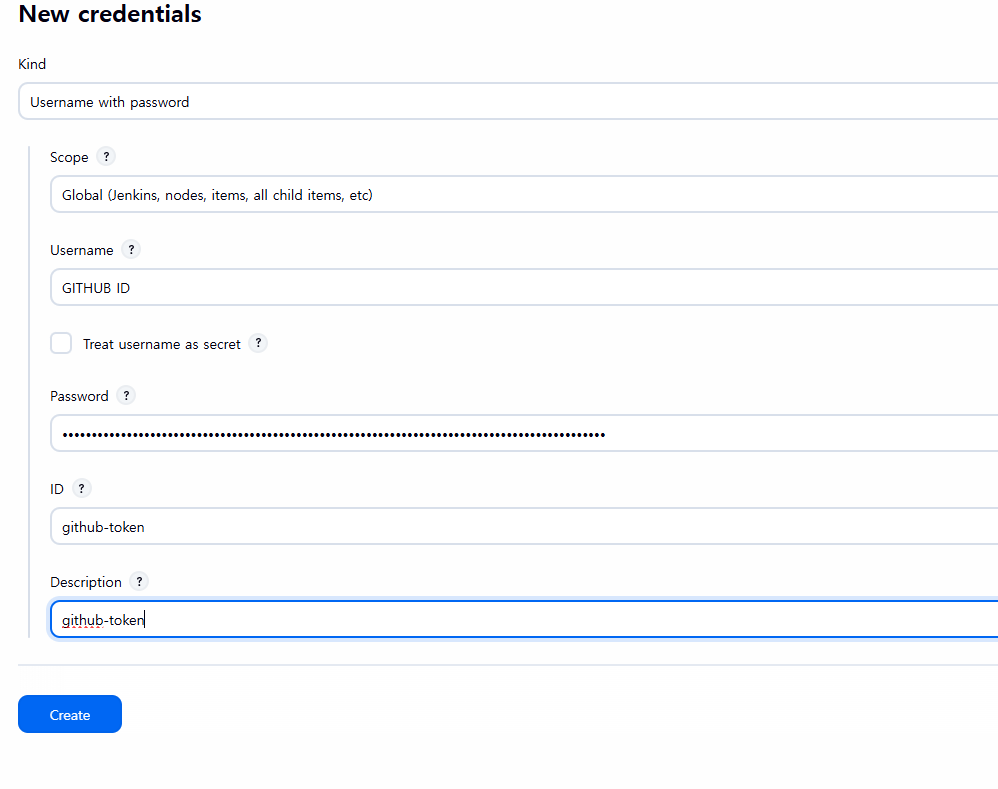
- Username: 깃허브 아이디
- password: 깃 토큰
- id: credential 이름
- description: 설명(선택)
📍Jenkins Pipeline 설정
All > new item에서 pipeline 클릭
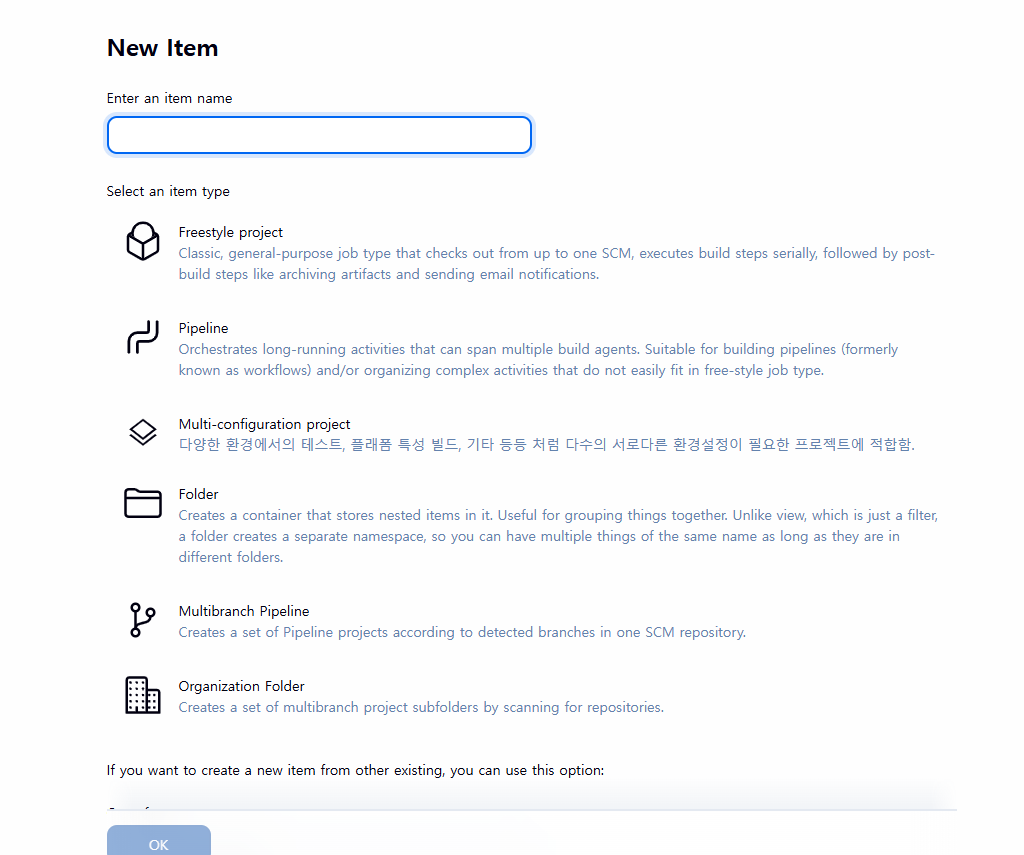
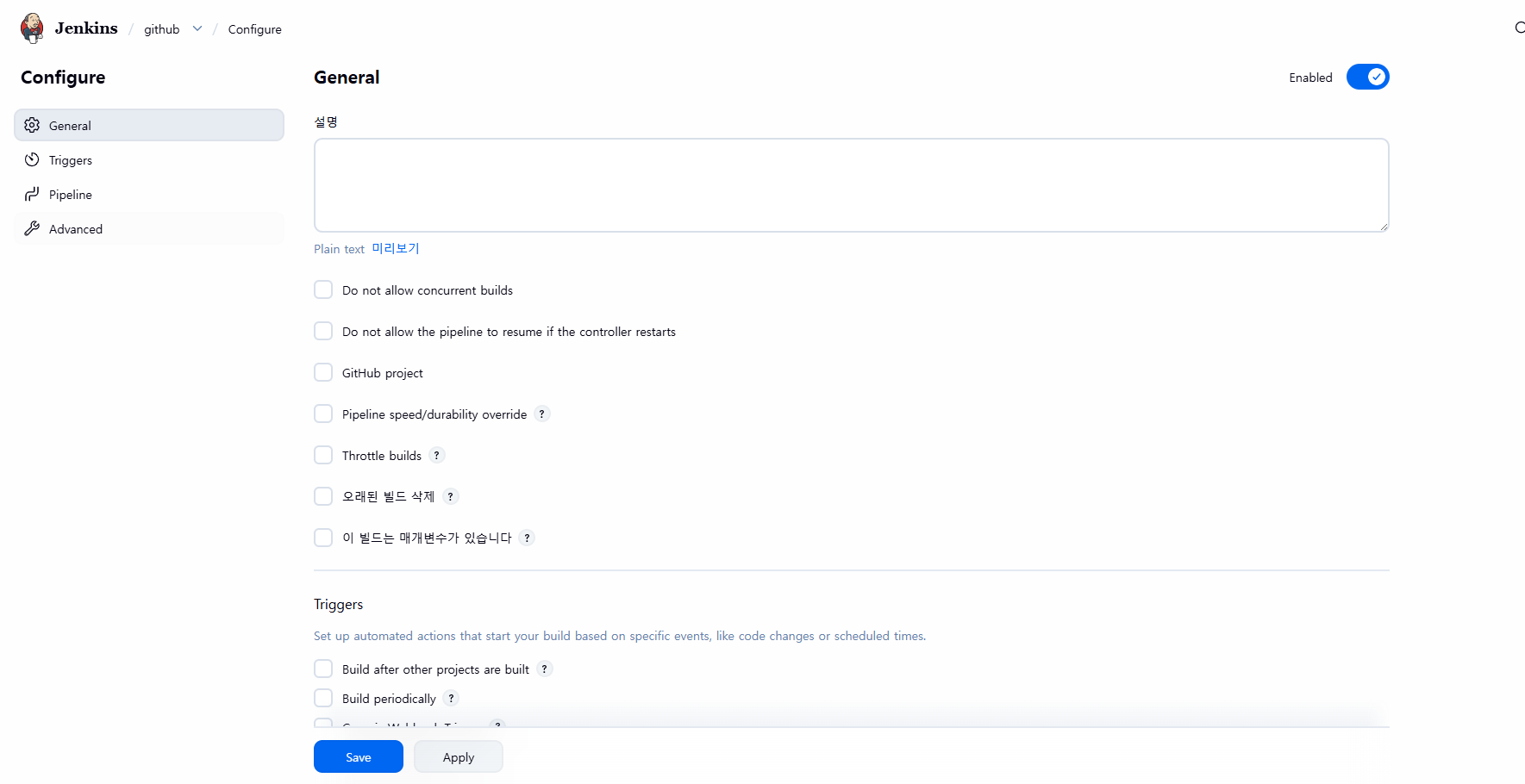
위는 초기화면이고, 아래와 같이 채워나가면 된다.


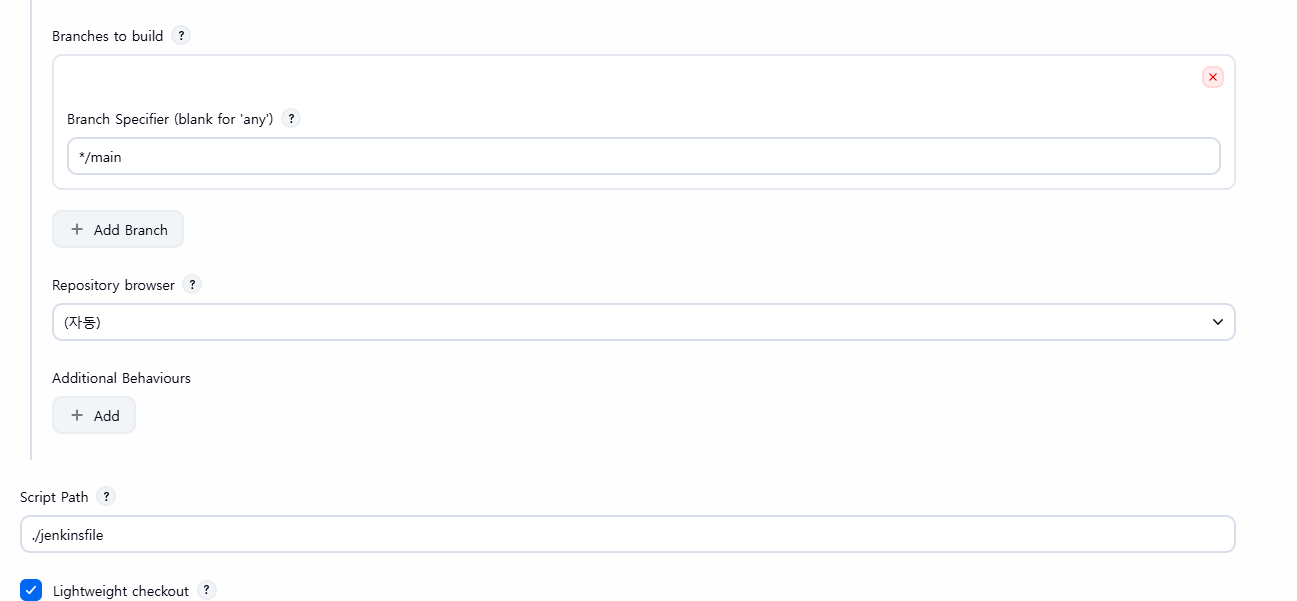
- Project url : GitHub Repository 경로
- Repository URL : GitHub Repository 경로.git
- Credentials : 위에서 생성한 Credentials
- Branch Specifier : trigger Branch
- Script Path : 루트 프로젝트에서 Jenkinsfile의 경로
📍Jenkinsfile
pipeline {
    agent any

    environment {
        NODE_HOME = '/usr/local/bin/node'
        PATH = "${env.NODE_HOME}:${env.PATH}"
    }

    stages {
        stage('Git Clone') {
            steps {
                checkout scm
            }
        }

        stage('Install Dependencies') {
            steps {
                echo "Installing npm packages..."
                sh 'npm install'
            }
        }

        stage('Build React App') {
            steps {
                echo "Building React app..."
                sh 'npm run build'
            }
        }

        stage('Archive Build') {
            steps {
                echo "Archiving build artifacts..."
                archiveArtifacts artifacts: 'build/**', fingerprint: true
            }
        }
    }

    post {
        success {
            echo "React build completed successfully!"
        }
        failure {
            echo "React build failed!"
        }
    }
}- Git Clone
Github에서 프로젝트를 클론해옴. job 설정 시 넣어준 깃 레포지, 브런치, 토큰 이용. - Install Dependencies
react 프로젝트 의존성 설치 - Build React App
production용 빌드 생성 - Archive Build
빌드 산출물을 jenkins에 보관 - Post Actions
빌드 성공/실패 시 로그 출력
📍Github Webhooks 설정
깃허브 레포지토리 > settings > webhooks > add webhook 클릭
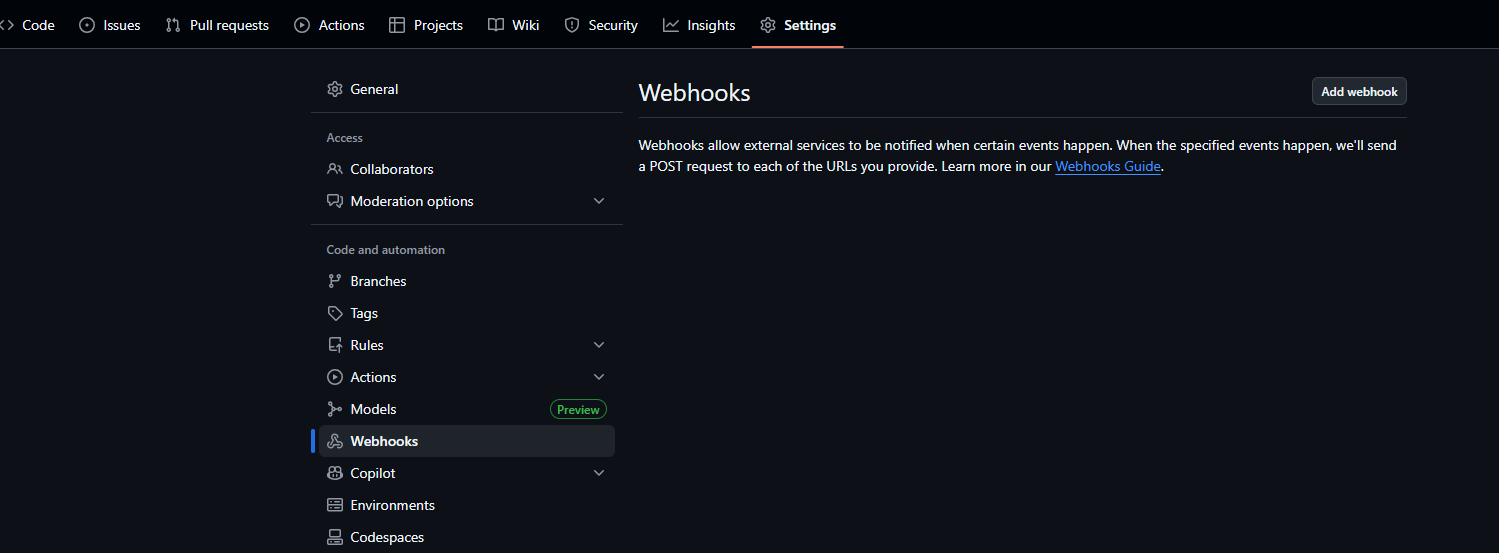
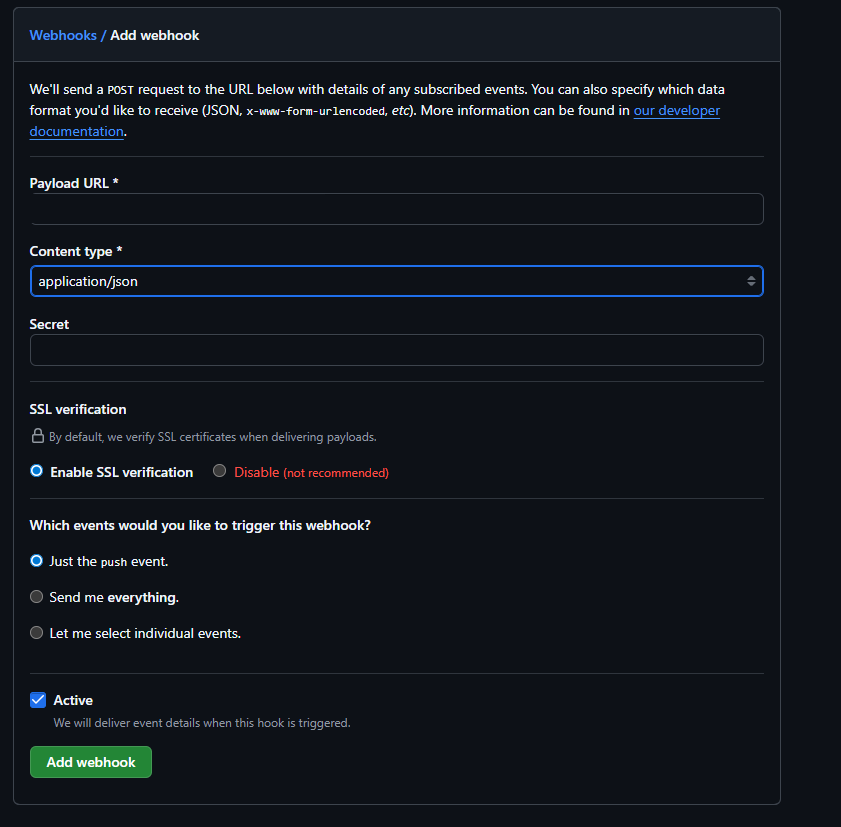
- payload url: http://ec2 public ip주소:포트/github-webhook
- content type: application/json
- 나는 http 위에서 구동시켰기 때문에(https X) ssl 설정을 disabled 시켜주었다.
[흐름]
개발자가 원격 저장소 Main 브랜치에 Push
↓
Github가 변경 사항이 감지되면 Jenkins에 CI 요청
↓
Jenkins 서버에서는 Github에서 요청이 들어오면 Build 진행
↓
생성된 jar 파일과 실행할 배포 명령어를 EC2 인스턴스에 전달
'자바 > 스프링부트' 카테고리의 다른 글
| java.lang.ClassNotFoundException 해결하기 (0) | 2025.12.10 |
|---|---|
| Github Actions + AWS EC2 로 간단하게 스프링 부트 프로젝트 CI/CD 파이프라인 구축하기 (0) | 2025.11.25 |
| [Java / Spring] Redis 이용한 대기열 시스템 구현 (0) | 2025.10.27 |
| [Java / Spring] Redis 이용한 좌석 선점/결제 로직 구현 (0) | 2025.10.21 |
| [JAVA / SSE] 스프링부트에서 SSE 구현하기 (SSE + Redis pub/sub) - 2 (0) | 2025.10.21 |


